iOS 5 for iPhone, iPad and iPod Touch

Ugh, IOS5 STILL doesn't have "Find on page" in safari implemented. Looks like I need to go add the find bookmarklet again. It says it's enabled in features of IOS5 online but I can't find it anywhere on my device, huh.

You mean you type in word and it highlight word on page on safari? Like 'Find' feature? iOS4 and iOS5 do have it. Just go safari as usual and pick webpage, decide word you want appear highlight then type in word in search box at top right then you should see some auto fill words listed, just scroll that list down to bottom see 'On this Page' header and under it Find 'word' then it will go back webpage your on and if there are matches will appear yellow and tap arrow forward or backward bottom.
 
I don't know that you have own iPhone. New iPhone 4S?
Not iphone 4S. I have own both android and apple, have iphone, iPod touch, older ipod, and many androids all keyboard - desireZ/G2, mytouch, motorola, g1, etc. Frisky here still has my G1. :mad2:

You mean you type in word and it highlight word on page on safari? Like 'Find' feature? iOS4 and iOS5 do have it. Just go safari as usual and pick webpage, decide word you want appear highlight then type in word in search box at top right then you should see some auto fill words listed, just scroll that list down to bottom see 'On this Page' header and under it Find 'word' then it will go back webpage your on and if there are matches will appear yellow and tap arrow forward or backward bottom.

Cool, I got it working! Thanks for your info. I would have never known to search that way, finally saw it now and works, I took screenshot:
FindScreenshot.jpg


I thought it would look like what I saw in this one below, but it seems it's for iPad only?
safari_find_in_page.png
 
Nah, not the tabs, I mean the "find on page" built into the keyboard. Seems that function is for iPad only, it is different method for iphone.
 
hmm, i just checked my iPhone, there is no find on page on my safari, so I take it it only applies on iPad
 
Yeah, actually do it like this to get it working

-Open safari, go to whatever site
-scroll up to the top right in the google search box, type the word you want to "find on page"
-after you type the word, scroll down to bottom of the auto search names, you will see "On this page (# matches)" >> Find "word here"
- press that and you will get it.

That's how I understood from speedy hawks post in #21. Cool, you learn something new everyday.
 
:doh: Your right, I didnt see this coming, I double checked and there it was. :D
 
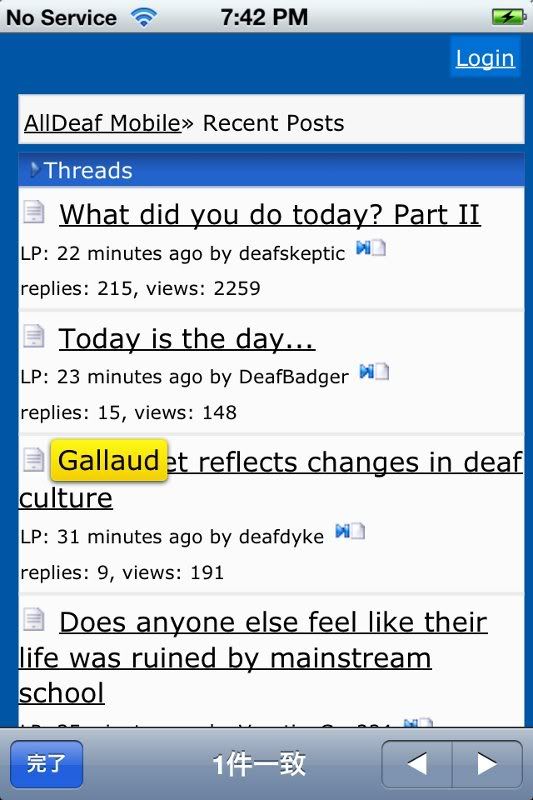
have yuo ever heard of alldeaf.com/m? (mobile version)


Doesn't have it on alarm unfortunately, but try one of these random apps from the store?


double vibration occurs when you have not checked the message when a text message has been recieved, it vibrates again and again until you open the mesage.


Stop complaining - you're an idiot for getting iPhone 4s. :lol:

Why use mobile version if I am using iPhone 4?? The mobile version is for those with slower phones that can't handle data all that well.

As for the flashing LED on Alarm; I got it to work for me this morning. It keeps vibrating and flashing until you slide to turn off the alarm or press snooze. I didn't have to jailbreak it. So it's possible. You just have to keep fiddling with the settings until you get it.

I am sure there will be an update to iOS 5 within the next few months once all the feedback is sent in from users and Apple is able to fix them and send out an update that fixes the hiccups.
 
Why use mobile version if I am using iPhone 4?? The mobile version is for those with slower phones that can't handle data all that well.

Actually, if you have data caps on your carrier and you want to save data usage or you just wanna read and skip all the siggies, pictures, have a pre-formatted page size, the mobile version is a really smart idea.

I'm sad Alex didn't decide to install TapaTalk on his forum (it's an apple/android app that lets you read forums in an app), but he said he may have new plans when upgrading the site.
 
Actually, if you have data caps on your carrier and you want to save data usage or you just wanna read and skip all the siggies, pictures, have a pre-formatted page size, the mobile version is a really smart idea.

I'm sad Alex didn't decide to install TapaTalk on his forum (it's an apple/android app that lets you read forums in an app), but he said he may have new plans when upgrading the site.

I don't have data caps. Why? Because I am grandfathered in to unlimited text and data with Verizon for life. :D
 
Back
Top