
You are using an out of date browser. It may not display this or other websites correctly.
You should upgrade or use an alternative browser.
You should upgrade or use an alternative browser.
Frozen PC
- Thread starter LakeTahoe
- Start date

DreamyHawaii
New Member
- Joined
- Apr 28, 2005
- Messages
- 471
- Reaction score
- 0
Same me too it is from too many programs on my computer!
I think your computer has too many programs it makes frozen it is going to be nearly to crash anytime soon or later. What kind of highspeed modem cable or dial up ? probably dial up is not good quality as high performance tech the only will works from highspeed cable modem. if you do have cable modem then it means you have too many programs and too much old emails info. and junk mails get it out and use control panel to remove some of old programs that you do not use it at that much. and you need to get it down limited about 8 programs less if over 8 programs then it means will frozen or you do not have firewall installed and anti-viruses installed yet.... Check it out which one that makes your computer frozen. That is all I aware of that. Probably someone do aware of that better than I aware of it too. But if still problem then I feel dunno to help you that all I have aware of it. My computer has not frozen yet for since I been removed too many programs that is all.
I think your computer has too many programs it makes frozen it is going to be nearly to crash anytime soon or later. What kind of highspeed modem cable or dial up ? probably dial up is not good quality as high performance tech the only will works from highspeed cable modem. if you do have cable modem then it means you have too many programs and too much old emails info. and junk mails get it out and use control panel to remove some of old programs that you do not use it at that much. and you need to get it down limited about 8 programs less if over 8 programs then it means will frozen or you do not have firewall installed and anti-viruses installed yet.... Check it out which one that makes your computer frozen. That is all I aware of that. Probably someone do aware of that better than I aware of it too. But if still problem then I feel dunno to help you that all I have aware of it. My computer has not frozen yet for since I been removed too many programs that is all.

LakeTahoe
Active Member
- Joined
- Mar 25, 2004
- Messages
- 14,192
- Reaction score
- 0
Ahhh thanks! I cleaned a lot out and keep that I am not REALLY sure. SO I'll ask my bf to keep or delete.  Thanks! Also I need to start sort my pictures and burn it ASAP...what a pain! LOL!
Thanks! Also I need to start sort my pictures and burn it ASAP...what a pain! LOL! DreamyHawaii said:I think your computer has too many programs it makes frozen it is going to be nearly to crash anytime soon or later. What kind of highspeed modem cable or dial up ? probably dial up is not good quality as high performance tech the only will works from highspeed cable modem. if you do have cable modem then it means you have too many programs and too much old emails info. and junk mails get it out and use control panel to remove some of old programs that you do not use it at that much. and you need to get it down limited about 8 programs less if over 8 programs then it means will frozen or you do not have firewall installed and anti-viruses installed yet.... Check it out which one that makes your computer frozen. That is all I aware of that. Probably someone do aware of that better than I aware of it too. But if still problem then I feel dunno to help you that all I have aware of it. My computer has not frozen yet for since I been removed too many programs that is all.

- Joined
- Jan 5, 2005
- Messages
- 847
- Reaction score
- 0
Another possibility
Another possibility is that your PC is infected with viruses. My mom was having the same problem. A friend explained to me that some e-mails and internet pop up ads had started viruses whether you opened them or not. She also said that many 'free' programs collect your information and will resell that to make up their costs.
Does your computer have a good anti-virus program or a pop-up blocker running on it?? These are both things that can help improve performance. I have Norton (anti-virus) and Ad Aware (pop up blocker) running on my PC. I also do a complete system scan once a week. Viruses on your PC can do just as much damage as a flu bug can do to your body.
Another possibility is that your PC is infected with viruses. My mom was having the same problem. A friend explained to me that some e-mails and internet pop up ads had started viruses whether you opened them or not. She also said that many 'free' programs collect your information and will resell that to make up their costs.
Does your computer have a good anti-virus program or a pop-up blocker running on it?? These are both things that can help improve performance. I have Norton (anti-virus) and Ad Aware (pop up blocker) running on my PC. I also do a complete system scan once a week. Viruses on your PC can do just as much damage as a flu bug can do to your body.
N
Neo
Guest
http://www.download.com/Ad-Aware-SE...045910.html?part=dl-ad-aware&subj=dl&tag=top5
Download Ad adware for free.
I believe you have lots spyware. If not then tell me what your spec?
How many RAM you have? What is OS you run?
Download Ad adware for free.
I believe you have lots spyware. If not then tell me what your spec?
How many RAM you have? What is OS you run?
webexplorer
Active Member
- Joined
- Jun 12, 2003
- Messages
- 5,517
- Reaction score
- 0
- Perhaps, too many old caches in your browser's folder
- Perhaps, too many cookies in your browser. I suggest you to delete all of the cookies.
- Perhaps, it is more likely that your computer needs a vacation.

(Last resort, you might consider to erase your hard disk and re-install the operating system. It might be worth it.) My dog is also Jack Russell Terrier. She is one-year-old, and she is funny and cool.
- Perhaps, too many cookies in your browser. I suggest you to delete all of the cookies.
- Perhaps, it is more likely that your computer needs a vacation.
(Last resort, you might consider to erase your hard disk and re-install the operating system. It might be worth it.) My dog is also Jack Russell Terrier. She is one-year-old, and she is funny and cool.
LakeTahoe
Active Member
- Joined
- Mar 25, 2004
- Messages
- 14,192
- Reaction score
- 0
Yeah I wanted to re format the hard drive but I have so many pictures and files that need to be burn it on CD ASAP.
Thanks anyway! I did delete cookies once a week...but I hate when people throw junk mails into my computer! UGH!
Awww...My JRT, Tahoe is 3 1/2 months old, will be 4 months old on 26th...shes sooo FUNNY and soo playful!
Thanks anyway! I did delete cookies once a week...but I hate when people throw junk mails into my computer! UGH!
Awww...My JRT, Tahoe is 3 1/2 months old, will be 4 months old on 26th...shes sooo FUNNY and soo playful!
webexplorer said:- Perhaps, too many old caches in your browser's folder
- Perhaps, too many cookies in your browser. I suggest you to delete all of the cookies.
- Perhaps, it is more likely that your computer needs a vacation.
(Last resort, you might consider to erase your hard disk and re-install the operating system. It might be worth it.) My dog is also Jack Russell Terrier. She is one-year-old, and she is funny and cool.

diehardbiker
Active Member
- Joined
- Mar 22, 2004
- Messages
- 16,188
- Reaction score
- 16
I know I know I know.... She has anti spyware in there.
Going on Windows XP home edition having 768MB of RAM.
Going on Windows XP home edition having 768MB of RAM.
Neo said:http://www.download.com/Ad-Aware-SE...045910.html?part=dl-ad-aware&subj=dl&tag=top5
Download Ad adware for free.
I believe you have lots spyware. If not then tell me what your spec?
How many RAM you have? What is OS you run?

CoolieFroggie
New Member
- Joined
- Apr 19, 2004
- Messages
- 1,348
- Reaction score
- 1
AOL can kill your memory and it can affect with your freezing too much..
LakeTahoe
Active Member
- Joined
- Mar 25, 2004
- Messages
- 14,192
- Reaction score
- 0
We don't use AOL. We used Road Runner. I know AOL caused too many problems.
CoolieFroggie said:AOL can kill your memory and it can affect with your freezing too much..
diehardbiker
Active Member
- Joined
- Mar 22, 2004
- Messages
- 16,188
- Reaction score
- 16
Sort of, but not exactly true. AOL has its own networking protocol, completely different than standard networking protocol. Computer needs to convert to AOL's own protocol each time it sends and recieves packets, that is what slows PC down. That is part of reason why Videophone won't work though AOL system.
I never liked AOL anyway
I never liked AOL anyway
CoolieFroggie said:AOL can kill your memory and it can affect with your freezing too much..
N
Neo
Guest
Go to windows task manager.
Take two screen shots
-Processes
-Performance
then post here. It can help me to tell what's wrong.
Take two screen shots
-Processes
-Performance
then post here. It can help me to tell what's wrong.
N
Neo
Guest
DreamyHawaii said:I think your computer has too many programs it makes frozen it is going to be nearly to crash anytime soon or later. What kind of highspeed modem cable or dial up ? probably dial up is not good quality as high performance tech the only will works from highspeed cable modem. if you do have cable modem then it means you have too many programs and too much old emails info. and junk mails get it out and use control panel to remove some of old programs that you do not use it at that much. and you need to get it down limited about 8 programs less if over 8 programs then it means will frozen or you do not have firewall installed and anti-viruses installed yet.... Check it out which one that makes your computer frozen. That is all I aware of that. Probably someone do aware of that better than I aware of it too. But if still problem then I feel dunno to help you that all I have aware of it. My computer has not frozen yet for since I been removed too many programs that is all.
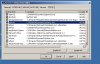
Nope. Not exactly. I have tons program and not mean to crash/frozen my computer downs. It's may be start-up program. I disable all start-up program from start-run-msconfig
Attachments
N
Neo
Guest
diehardbiker65 said:Sort of, but not exactly true. AOL has its own networking protocol, completely different than standard networking protocol. Computer needs to convert to AOL's own protocol each time it sends and recieves packets, that is what slows PC down. That is part of reason why Videophone won't work though AOL system.
I never liked AOL anyway
Well. You still need AOL program for connection. AOL 9.0 need 128mb of ram. What a waste.
Oh yeah too many of my friends bitch about AOL so I fixed it for them. There is other way to do connection on the highspeed internet without program.
Thanks god. I never own AOL before.
AOL is suckS! It's lost over 900,000.

http://www.theregister.co.uk/2005/08/09/aol_wireless/
LakeTahoe
Active Member
- Joined
- Mar 25, 2004
- Messages
- 14,192
- Reaction score
- 0
HECK! I have NO idea where to find window task manager and take two screen shots.
Neo said:Go to windows task manager.
Take two screen shots
-Processes
-Performance
then post here. It can help me to tell what's wrong.[/QUOTE
diehardbiker
Active Member
- Joined
- Mar 22, 2004
- Messages
- 16,188
- Reaction score
- 16
Right! AOL program for what??? NETWORKING!!! That is what it is mostly for!
That is why it is taking too much memory. AOL wants their own networking protocol based on security reason. STUPID!
That is why it is taking too much memory. AOL wants their own networking protocol based on security reason. STUPID!
Neo said:Well. You still need AOL program for connection. AOL 9.0 need 128mb of ram. What a waste.
Oh yeah too many of my friends bitch about AOL so I fixed it for them. There is other way to do connection on the highspeed internet without program.
Thanks god. I never own AOL before.
AOL is suckS! It's lost over 900,000.
http://www.theregister.co.uk/2005/08/09/aol_wireless/
webexplorer
Active Member
- Joined
- Jun 12, 2003
- Messages
- 5,517
- Reaction score
- 0
Mama2AFTIV said:Yeah I wanted to re format the hard drive but I have so many pictures and files that need to be burn it on CD ASAP.
Thanks anyway! I did delete cookies once a week...but I hate when people throw junk mails into my computer! UGH!
Awww...My JRT, Tahoe is 3 1/2 months old, will be 4 months old on 26th...shes sooo FUNNY and soo playful!
I understand that it is not easy for you to transfer so many pictures into a CD or DVD. A few months ago, I had this problem, and even it was not easy for me to organize the group of photos. I thought that I was a good organizer, but I realize that I am really good at taking care of the house.
It took me a few days to put all the photos in a CD and a DVD. Then, I finally reformatted my hard disk. After that, my computer came out clean as a new computer. I wanted to get over with it without any new additional problems in the "future."
If you do not want to erase it, you could buy some software with your money. I do not like spend my money for one thing for my computer so I rather to buy something else for my pleasure. So, if you decide to format it, then everything will be fine. Obviously, we need pay our attention next time to put the photos in the right folders - who knows...

I love to save some pictures of my dog when she grows up... I plan to take my dog to a dog fun show (fun games for all JRTs) coming up next month. " It cost me, but it's worth for my dog. (Tail End of Summer Terrier Fun Day - http://www.yjrtn.com)
N
Neo
Guest
Mama2AFTIV said:HECK! I have NO idea where to find window task manager and take two screen shots.
Neo said:Go to windows task manager.
Take two screen shots
-Processes
-Performance
then post here. It can help me to tell what's wrong.[/QUOTE
Ask your dog. Just kidding.
How to check windows task manager?
Look your keyboard then push "Ctrl+Alt+DEL" same time. You will see windows task manager.
How to take screenshot?
Look your keyboard then push "print screen" or "prt scr" then open Paint program and go to "edit->paste" So you will see picture from screenshot.
You need save as jpeg. NOT BMP. GO to File->save as->save as type (JPEG).
Where is Paint program?
Go to Start->All Programs->Accessories->Paint.
I hope you understood what I talk about it.
webexplorer
Active Member
- Joined
- Jun 12, 2003
- Messages
- 5,517
- Reaction score
- 0
Mama2AFTIV -
I forgot to tell you - Please do not use the Microsoft Internet Explorer or new IE7. Just use other browsers such as Firefox, Netscape, Mozilla, etc. I personally like Firefox. I better let you to read Neo's instruction.
I forgot to tell you - Please do not use the Microsoft Internet Explorer or new IE7. Just use other browsers such as Firefox, Netscape, Mozilla, etc. I personally like Firefox. I better let you to read Neo's instruction.